
The company's books in Odoo, the way the accountant wants them
An ΕΓΛΣ or ΕΛΠ chart of accounts, a series for every document type, expenses that arrive from myDATA, a VAT return and E3 that agree with AADE before they are filed. All inside Odoo, with the Greek rules ready.
Screens from a demo company, with random names and amounts.
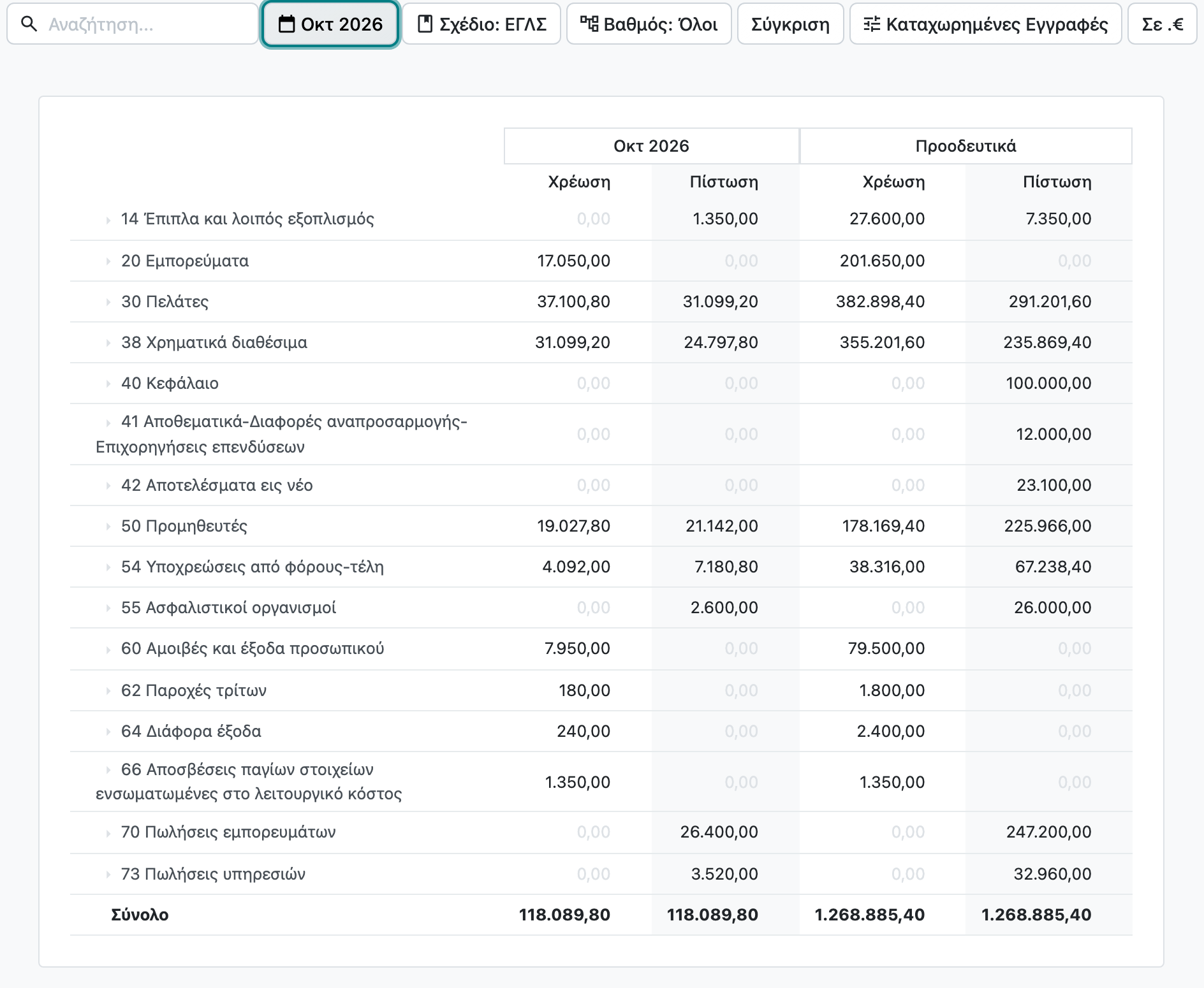
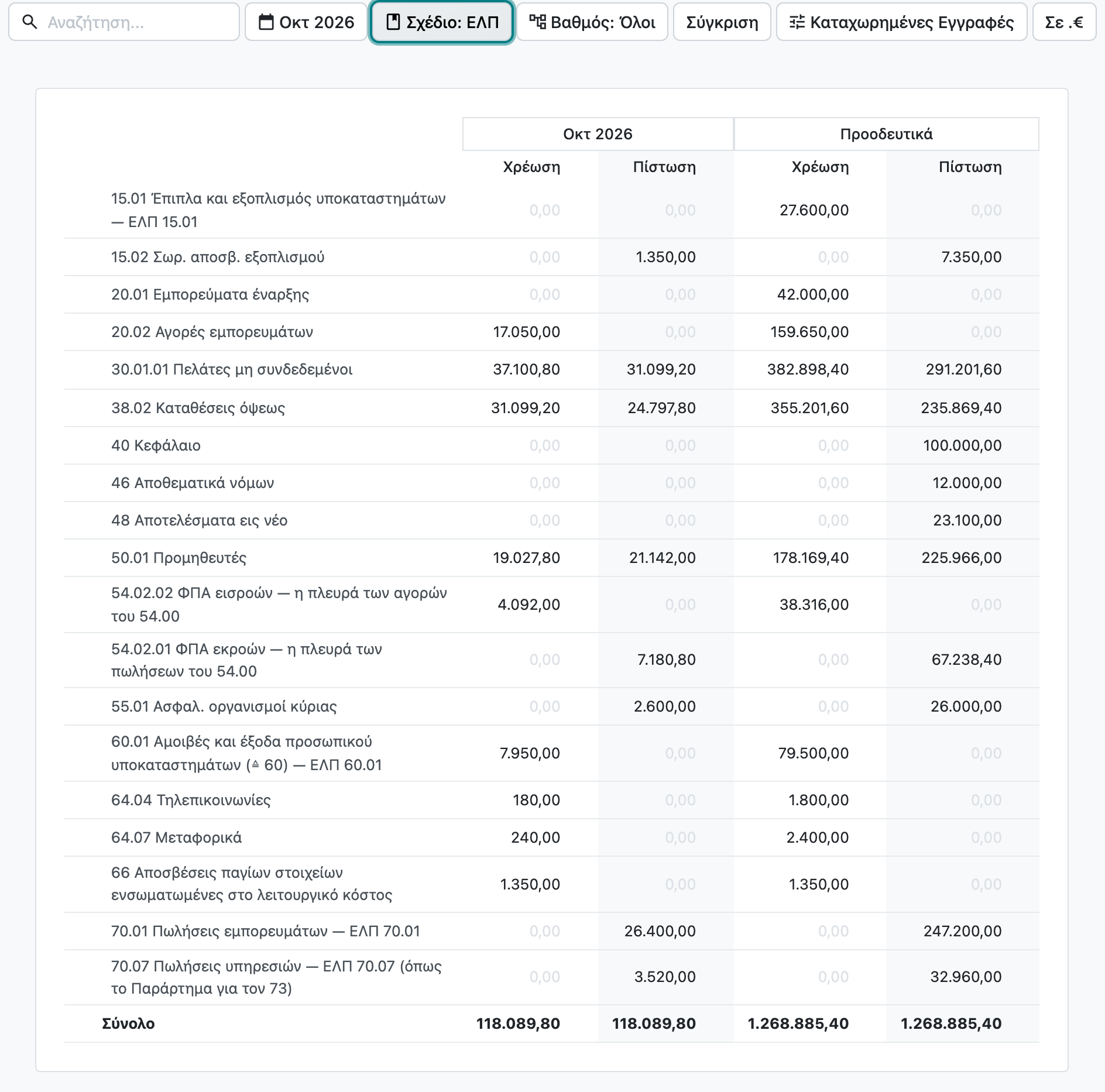
ΕΓΛΣ or ΕΛΠ: books in the chart you keep
The company is set up with the chart it keeps: the ΕΛΠ of law 4308/2014 or the ΕΓΛΣ, with more than 650 and more than 1,200 accounts respectively, ready from day one. The accounts already carry their myDATA classification and E3 code.
If the company already has its own chart in Excel, it comes in with its own codes and descriptions. Each account takes the classification, VAT and E3 code of the Greek account it maps to, and where the mapping is not certain the system asks the accountant instead of guessing.
The same trial balance shows in both charts, with the same entries and the same total, without converting the books. The books stay in ΕΓΛΣ and the trial balance for the financial statements comes out in ΕΛΠ.
Legal basis: ν. 4308/2014 άρ. 3
One series for every document type
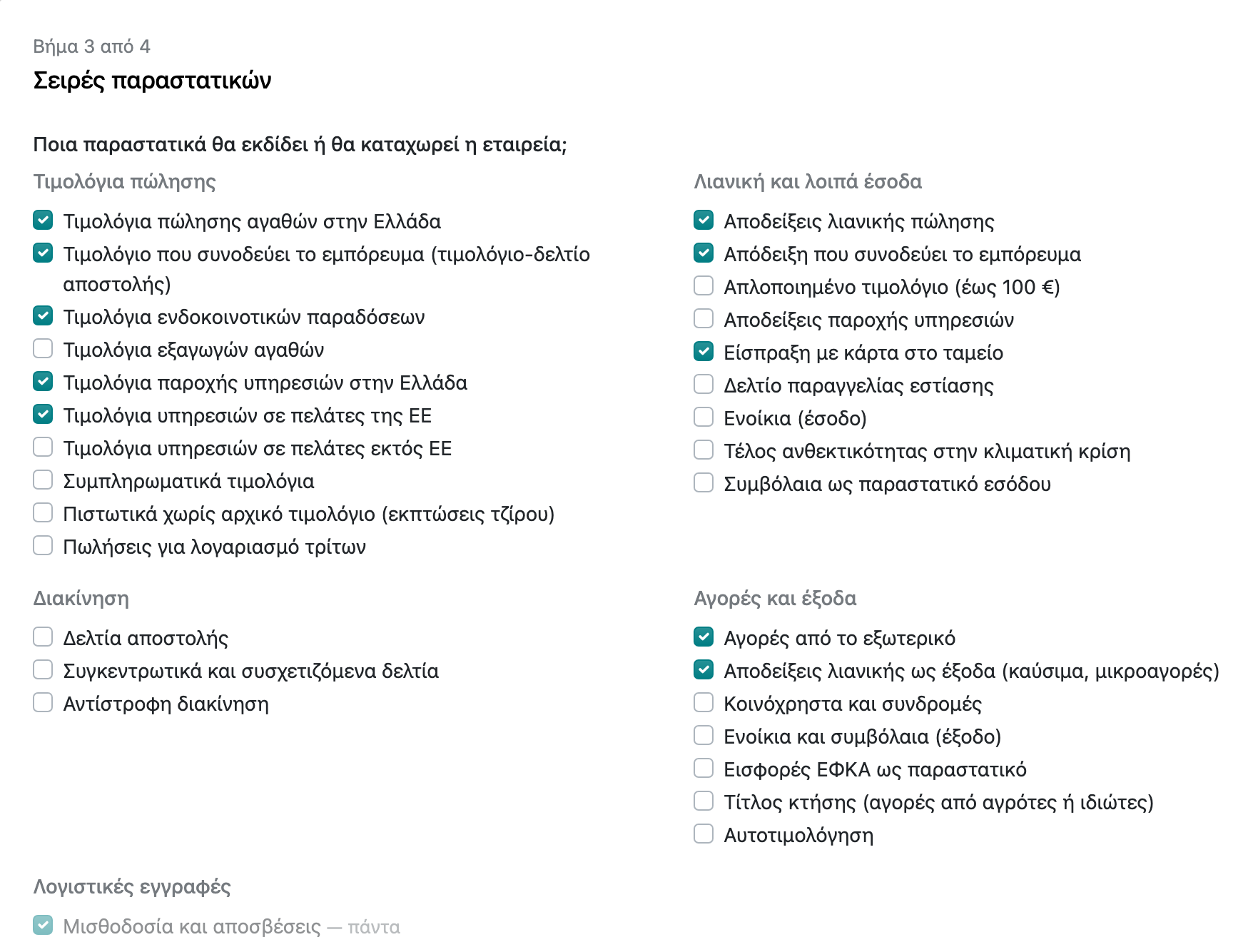
l10n.gr knows all 53 myDATA document types. The setup wizard asks about the business, not about settings: what it sells and to whom, whether it sells abroad, whether it has retail, a warehouse or shops. From the answers it opens only the series and journals needed, and shows a preview before applying anything.
Each series is tied to its document type, its branch number and its classifications, so users never pick a myDATA code by hand. The customer's or vendor's fiscal position picks the journal (domestic, intra-EU or non-EU), and the journal picks the series.
Legal basis: Α.1128/2025 · Α.1044/2026 · Α.1197/2026 · ν. 4308/2014 άρ. 3 · ν. 5222/2025
myDATA in both directions
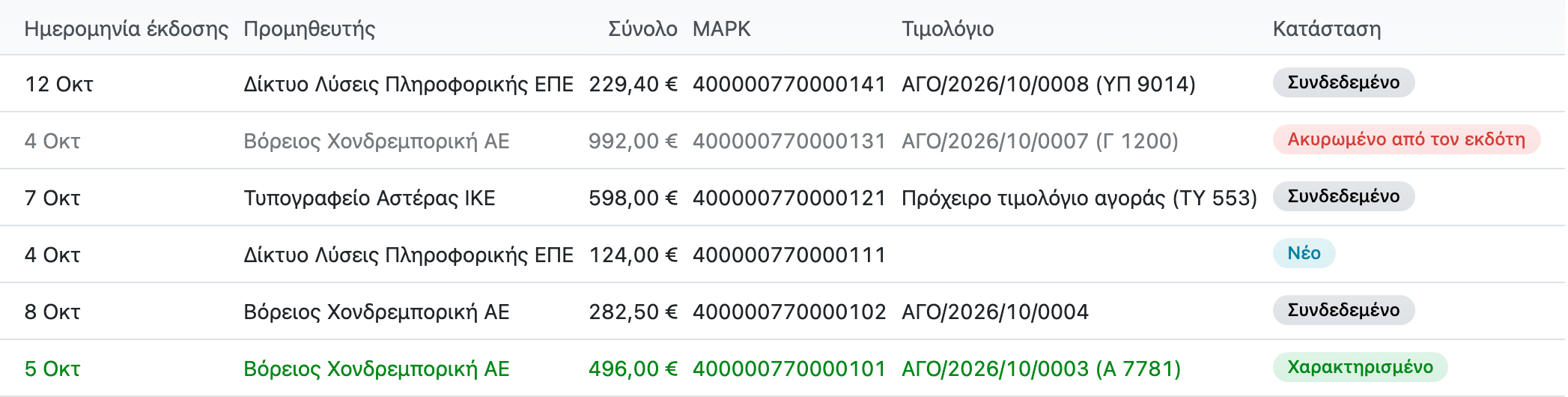
Income is transmitted when it is issued, with the MARK on the document. Expenses come from myDATA into Odoo: AI reads the vendor's document with OCR and corrects the line descriptions, and the document is matched with the vendor bill.
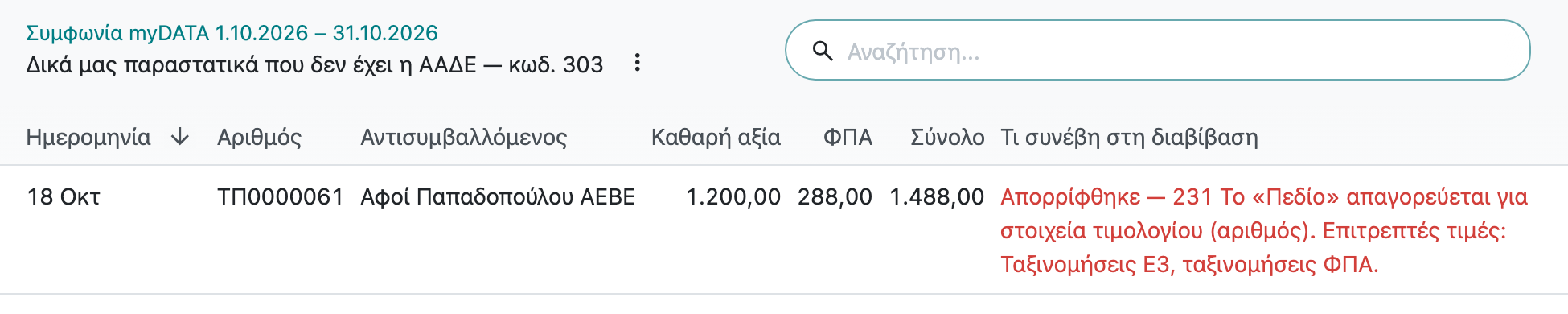
The list shows what is matched, what is classified, what is waiting for a bill and what the issuer cancelled. What AADE holds and the books lack is never lost.
If the provider does not answer at the time of issue, the document is issued marked as a transmission failure and is resent automatically with the same number. A document AADE rejected is not posted: it stays a draft, with the reason for the rejection, until it is fixed.
Legal basis: Α.1020/2024 · Α.1108/2024 · Α.1138/2020 · Α.1049/2024

The VAT return agrees with myDATA before it goes
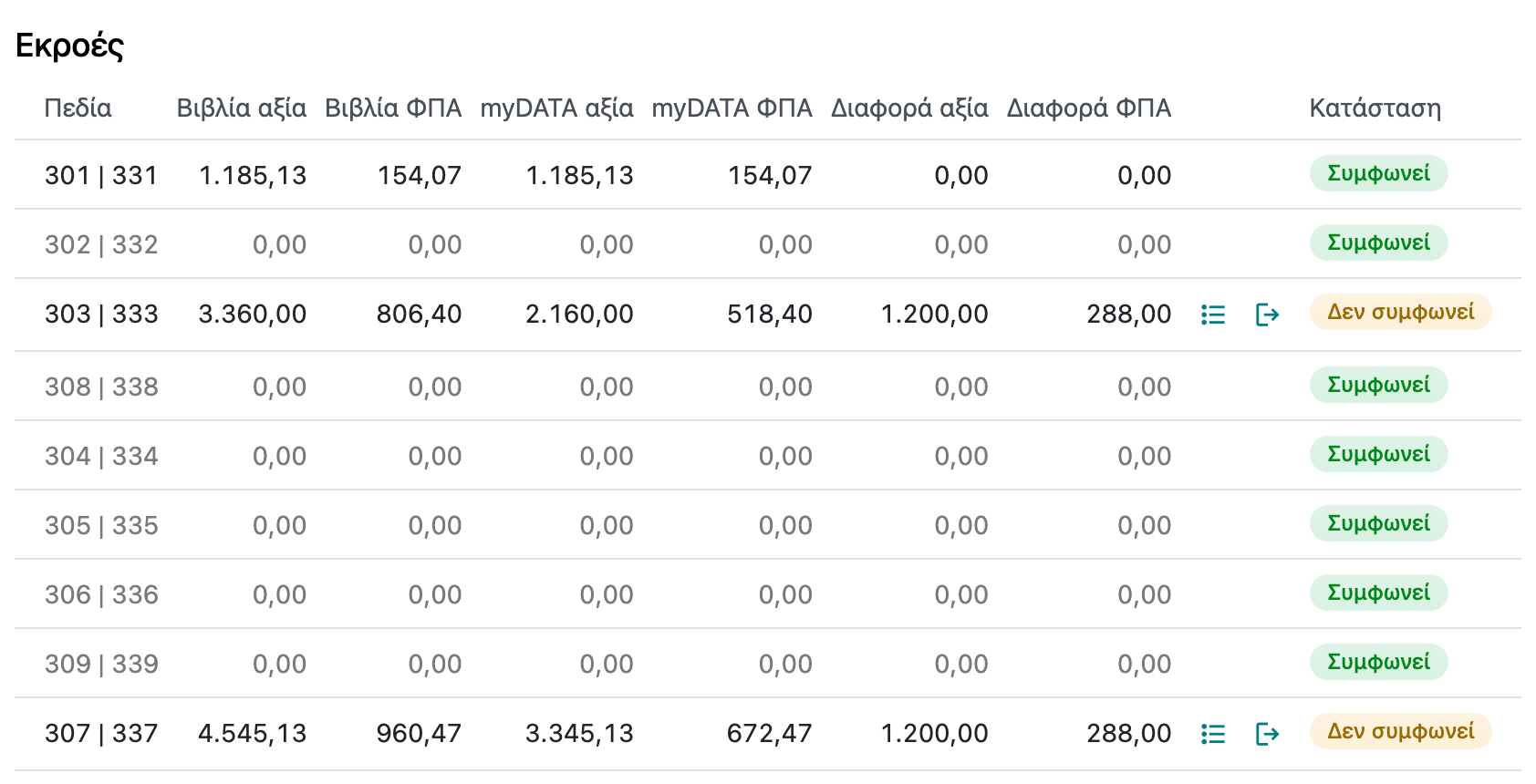
Taxes are already tied to the boxes of the VAT return. The periodic VAT return comes from the books, and each of its boxes sits next to what AADE holds in myDATA. Where there is a difference, one click shows the documents behind it.
The accountant finds the invoice that was rejected or never transmitted before filing, not when AADE's notice arrives.
Legal basis: Α.1020/2024 · Α.1108/2024 · ν. 5104/2024 · ν. 4987/2022 · ΠΟΛ.1082/2015
E3 and the EC sales list from the same data
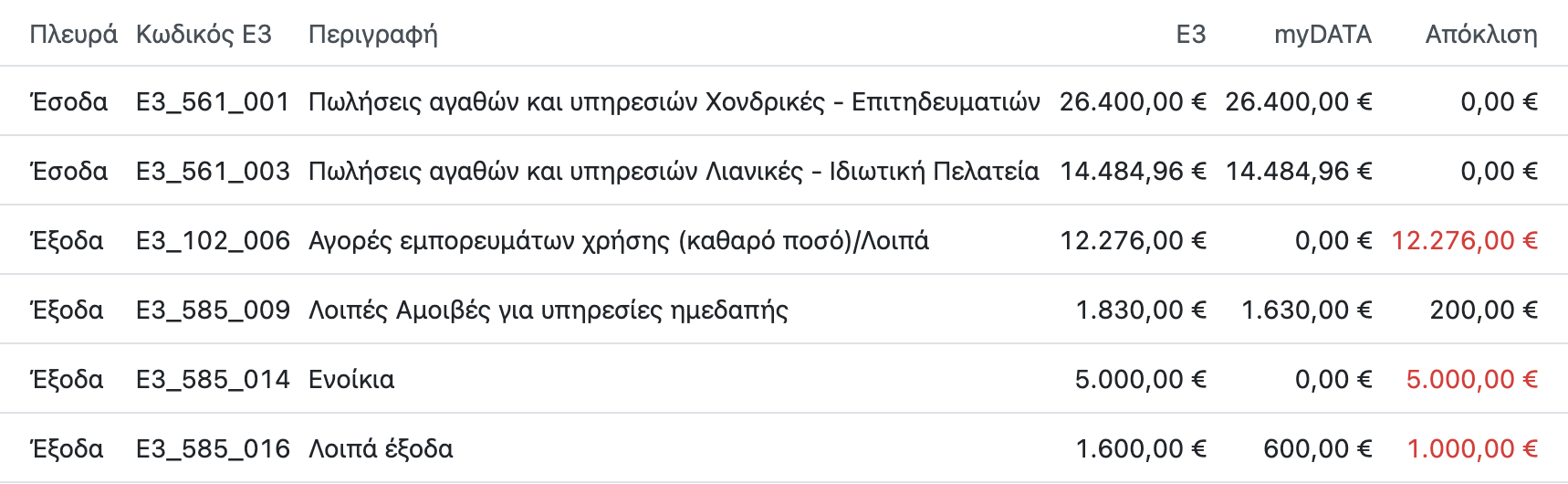
Every income and expense line keeps its E3 code, and the check shows the amounts in the books next to what myDATA holds, before the E3 is filed.
The EC sales list (Φ4) comes from the same invoices.
Legal basis: Α.1045/2025 · Α.1138/2020 · Α.1222/2020 · ΠΟΛ.1127/2009
Fixed assets, depreciation and withholding
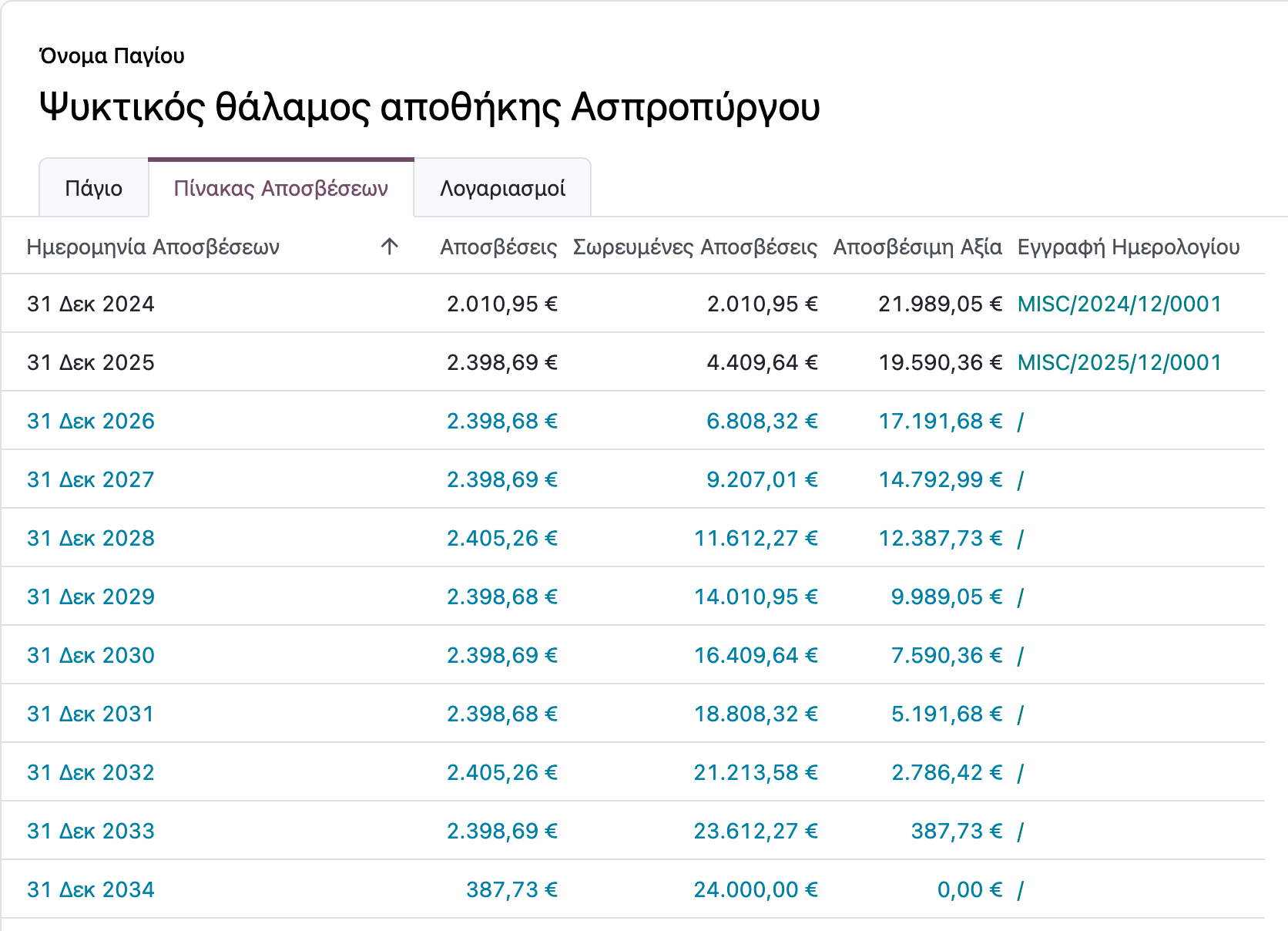
When bought, an asset is written to the asset register and its depreciation is posted automatically. Sale and disposal post the result correctly, and non-deductible VAT goes into the acquisition cost.
On fees, withholding tax goes into the right category from the invoice.
Legal basis: ν. 4172/2013 · ν. 4308/2014 άρ. 18 · Α.1138/2020
Period and year-end close
Opening and closing inventories, year-end depreciation and every journal entry without a document get their classification and E3 code and are transmitted to myDATA.
The new year opens with the balances that carry over.
Legal basis: Α.1138/2020 · ν. 4308/2014
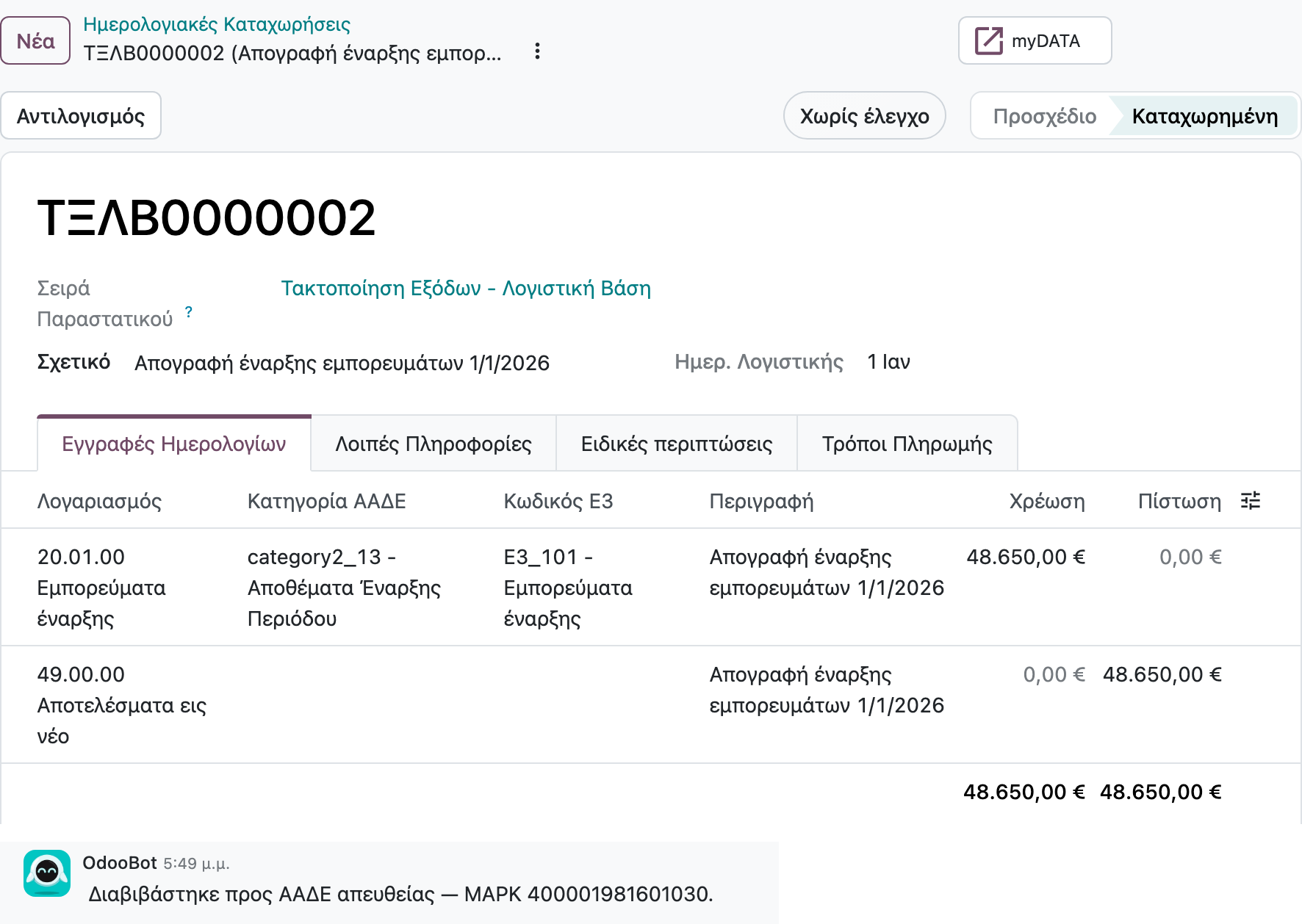
Safeguards that stop the mistake
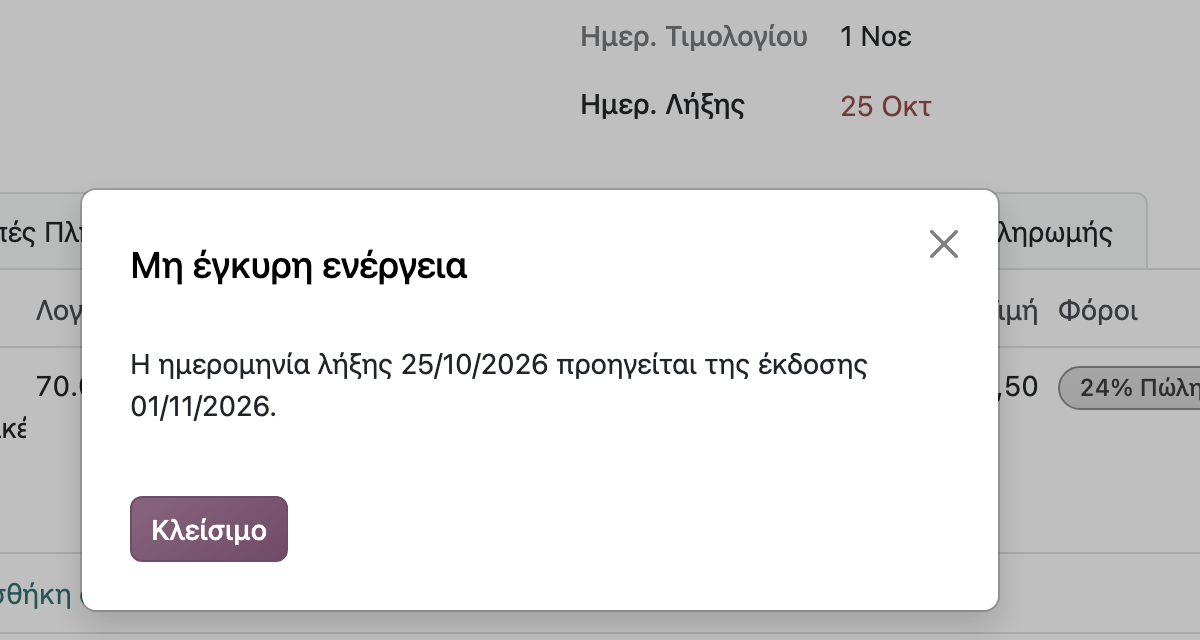
Before posting, the system checks what the law and AADE require: numbering and dates, document type and content, double transmission. If something does not hold, it stops and explains in Greek what to fix.
The mistake is fixed before it reaches myDATA, not with a cancelling document later.
Legal basis: ν. 4308/2014 · Α.1138/2020
Invoicing the public sector
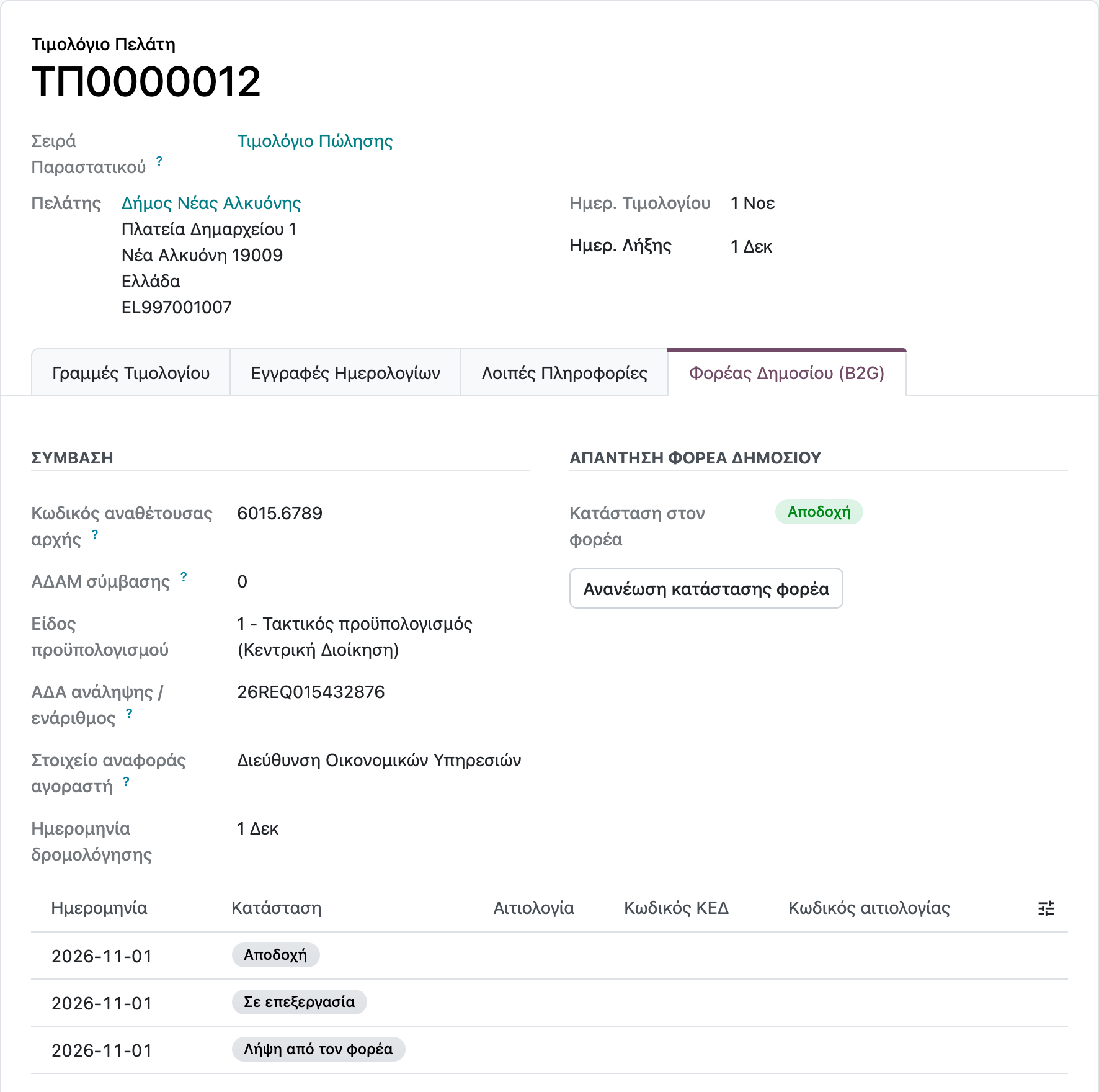
An invoice to a public body is issued like any sales invoice, with the contract and budget details, and reaches the body through Peppol. The body's response, from receipt to acceptance, shows on the invoice.
B2G is included in l10n.gr. The e-invoicing provider may charge for it separately.
Legal basis: ν. 4601/2019 άρ. 145 · ν. 4972/2022
How the accountant works
In your client's Odoo
You sign in with your own user and the rights the business gives you.
The data stays the business's
The business can ask at any time for an export of all its data.
One place for help
For the system you turn to whoever implements the business's Odoo. Neurons Tech also implements with l10n.gr, and then it is your point of contact.
Explanations in Greek
More than 200 knowledge base articles explain the obligations and how it is done in Odoo.
Want to see it on a database with data?
We show you the same screens in a live demo, with the scenarios that matter to you.