
l10n.gr or e-invoo: myDATA in Odoo with the provider you choose
e-invoo is a reliable choice for Odoo's myDATA. l10n.gr keeps the same Odoo flow and gives you more: a choice among certified providers, and one point of contact, your Odoo partner.
| — | l10n.gr | e-invoo |
|---|---|---|
| Providers | A choice among certified providers, with more in future versions. | e-invoo, as the certified provider. |
| Who serves you | Your Odoo partner, from console.l10n.gr. | The e-invoo team. |
Information on e-invoo comes from public sources, November 2026.
What your business gains
Flexibility on the provider
When the connection is set up, you choose the certified provider that fits your volume and needs. More are coming in future versions.
One point of contact
Your Odoo partner sets up the connection, monitors it and resolves errors. No other company to coordinate with.
The Odoo flow you already know
Users keep working in Odoo's own screens, with nothing new to learn.
Your data stays yours
l10n.gr keeps no XML, amounts or counterparties from your documents.
Safe to resend
If the connection drops mid-send, sending again finds the document already issued instead of issuing it a second time.
Risk-free testing
When Odoo is set to Test, documents are issued in a test environment and nothing reaches live myDATA.
Every transmission on one screen
Your Odoo partner sees every day what was sent and what got stuck, and fixes it before it reaches you.

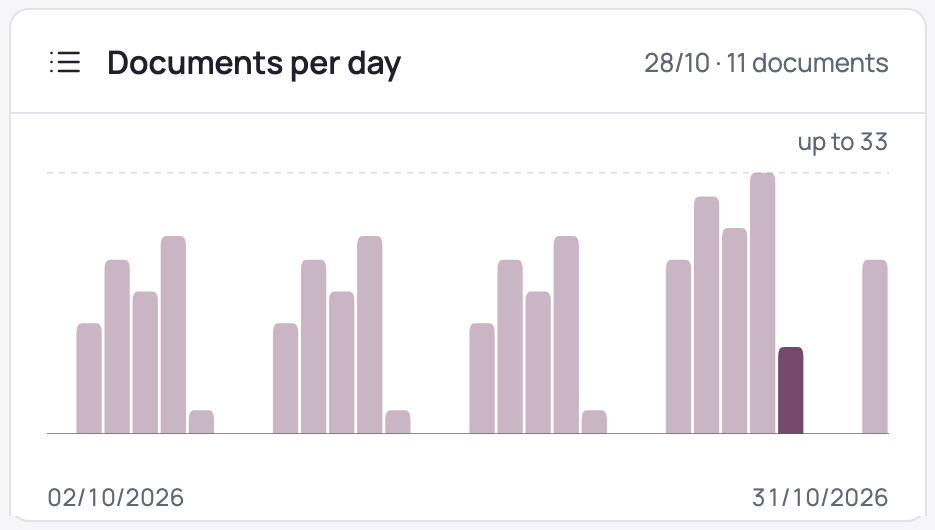
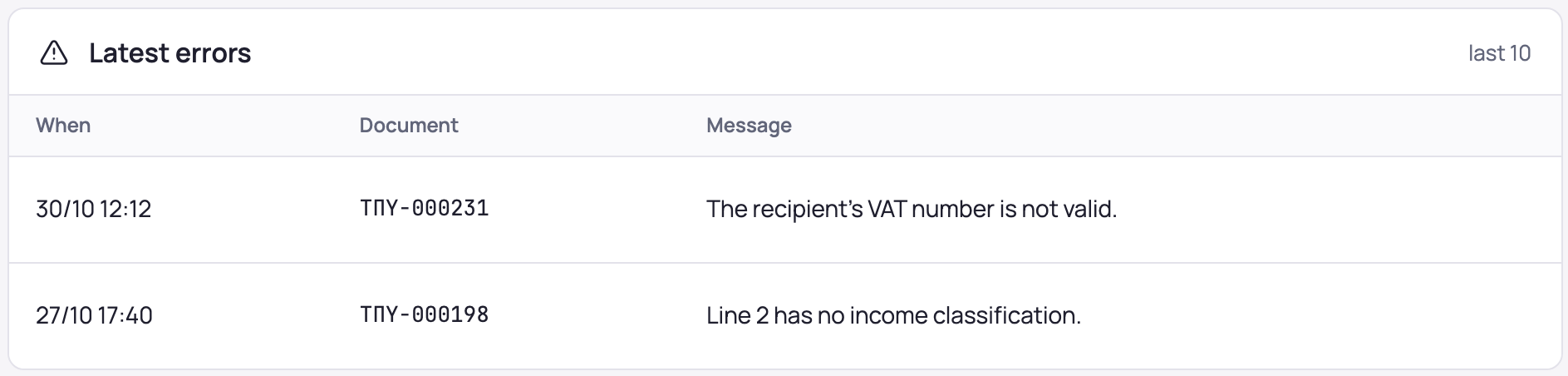
Console screens with sample data.
How it works
l10n.gr receives the request Odoo would send to e-invoo and issues the document through the certified provider you chose. A free l10n.gr module routes the request to l10n.gr, and your Odoo partner sets up the connection in console.l10n.gr.
Users work in Odoo's own flow: the screens, the Send to myDATA button, the validation checks and the printed invoice. The MARK, UID, authentication code and QR code come back on the document, and the printed invoice names the provider that issued it.
Ask your Odoo partner
Your Odoo partner sets up the connection and stays your point of contact. If you don't have one, talk to us.