
Operations
Logs, Odoo shell, backups and restores: what you need to support the project day to day.
Logs
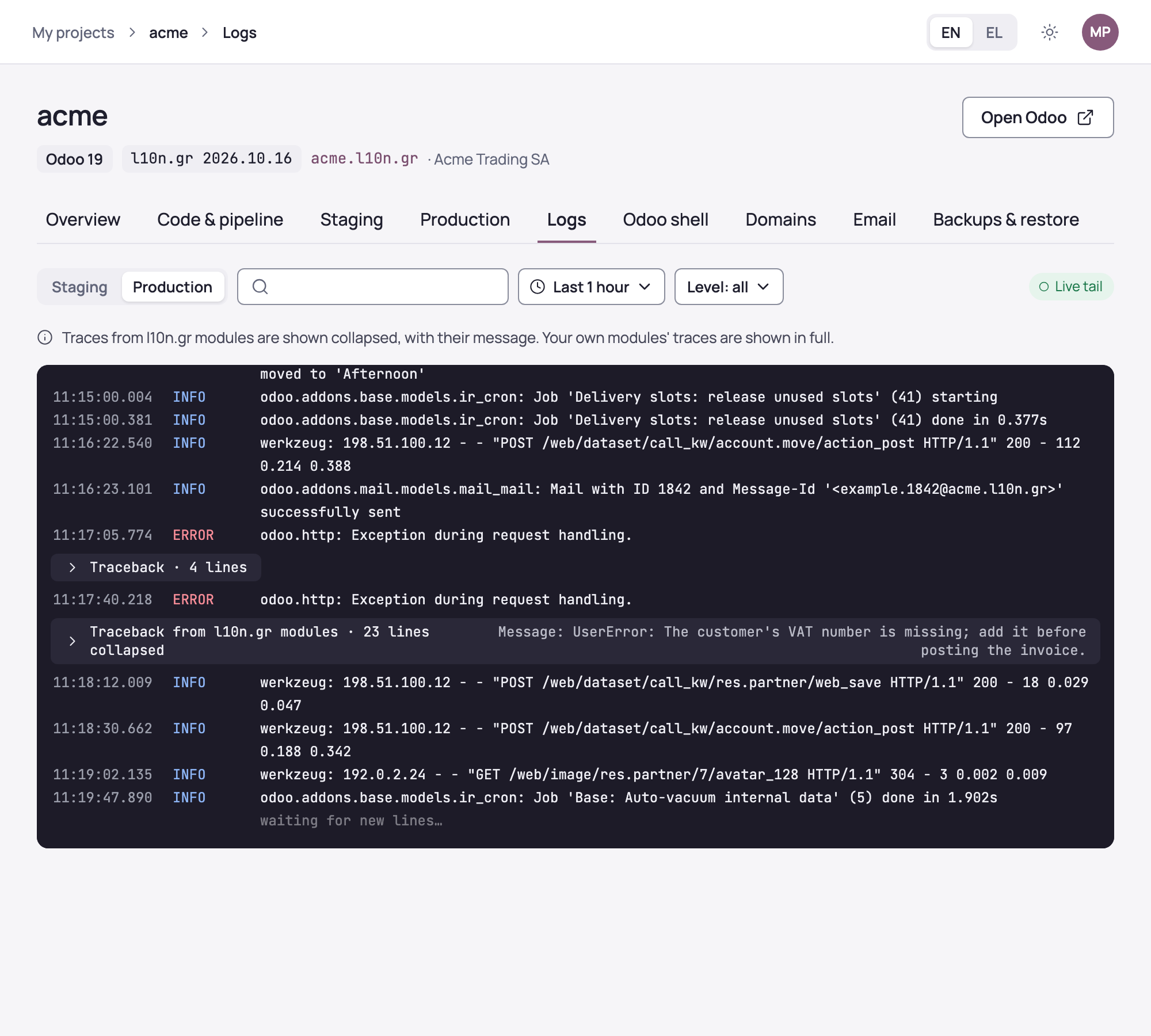
The “Logs” section shows the Odoo log for production or staging. You pick a period, up to the last 14 days, and a level, and search for text. With “Live tail” new lines appear as they are written.
Tracebacks from your own modules are shown in full. Those from l10n.gr modules are shown collapsed, with their error message.
“Restart” for Odoo is in the “Staging” and “Production” sections.
Odoo shell
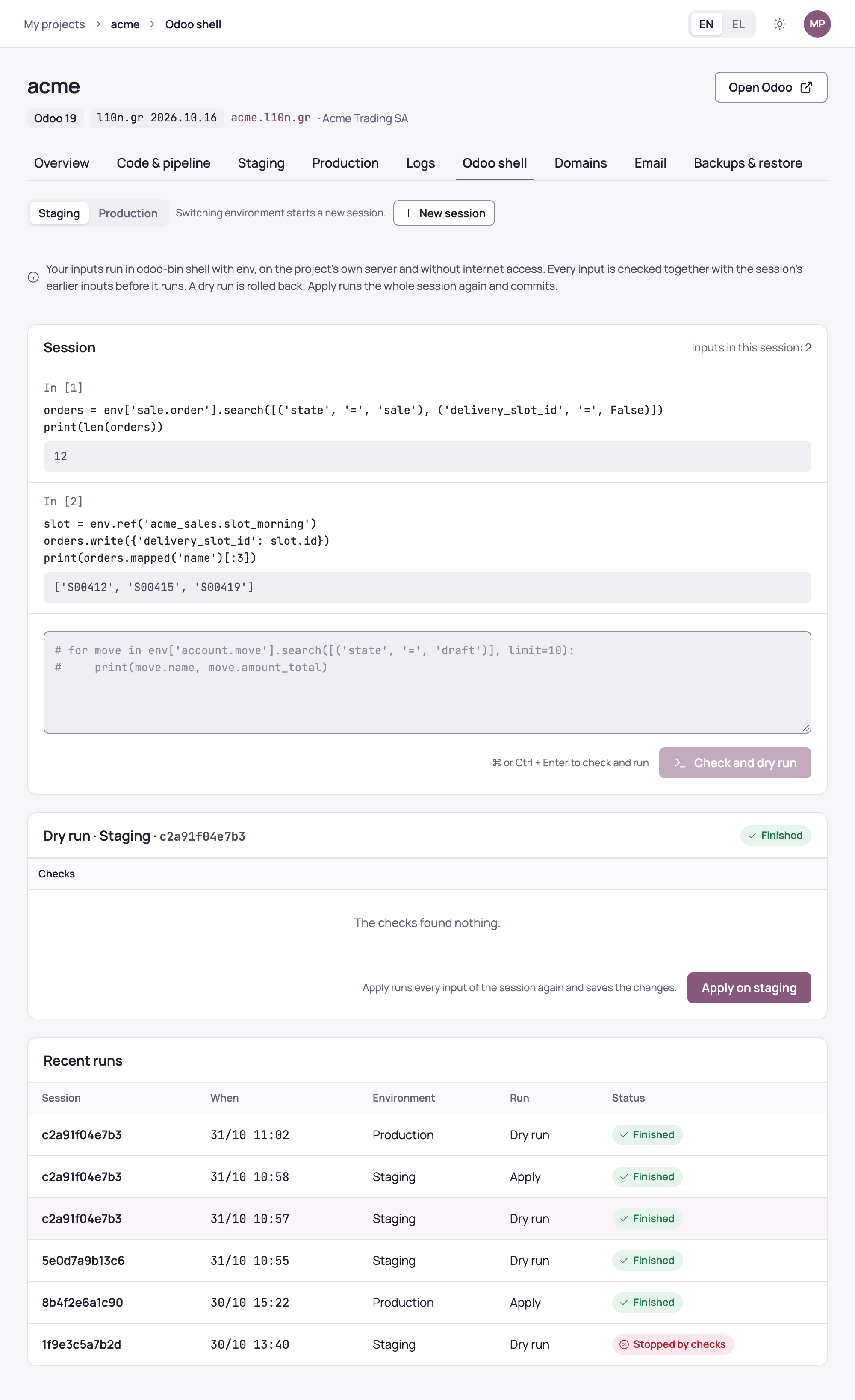
“Odoo shell” gives you odoo-bin shell with Odoo's env, on the project's own server, for data fixes and checks that do not need a module. You write Python in the console, and every input is checked before it runs.
- Choose the environment. You always start on staging.
- Write the input and choose “Check and dry run” (⌘ or Ctrl + Enter). The checks take a few seconds. If they find nothing, the input runs as a dry run and you see its output; the dry run is rolled back.
- Carry on with the next inputs. Inputs form a session: each new one runs after the earlier ones, so variables carry over. “New session” starts afresh.
- Choose “Apply on staging”. The whole session runs again and its changes are saved.
- Once applied on staging, the same session can be applied on production with “Apply on production…” and a confirmation. A restore point is recorded first.
The checks combine rules with an AI review. Inputs work through Odoo's ORM; system commands, reading files and running code dynamically are not allowed. Inputs run without internet access, with time and output limits, and the output follows the same rules as the logs.
Every run is recorded with its text, checks, output, environment and user. From “Recent runs” you can open a session again.
Switching environment starts a new session, and inputs that were stopped by the checks or failed are not part of the session. Apply on production works once production backups exist.
Backups
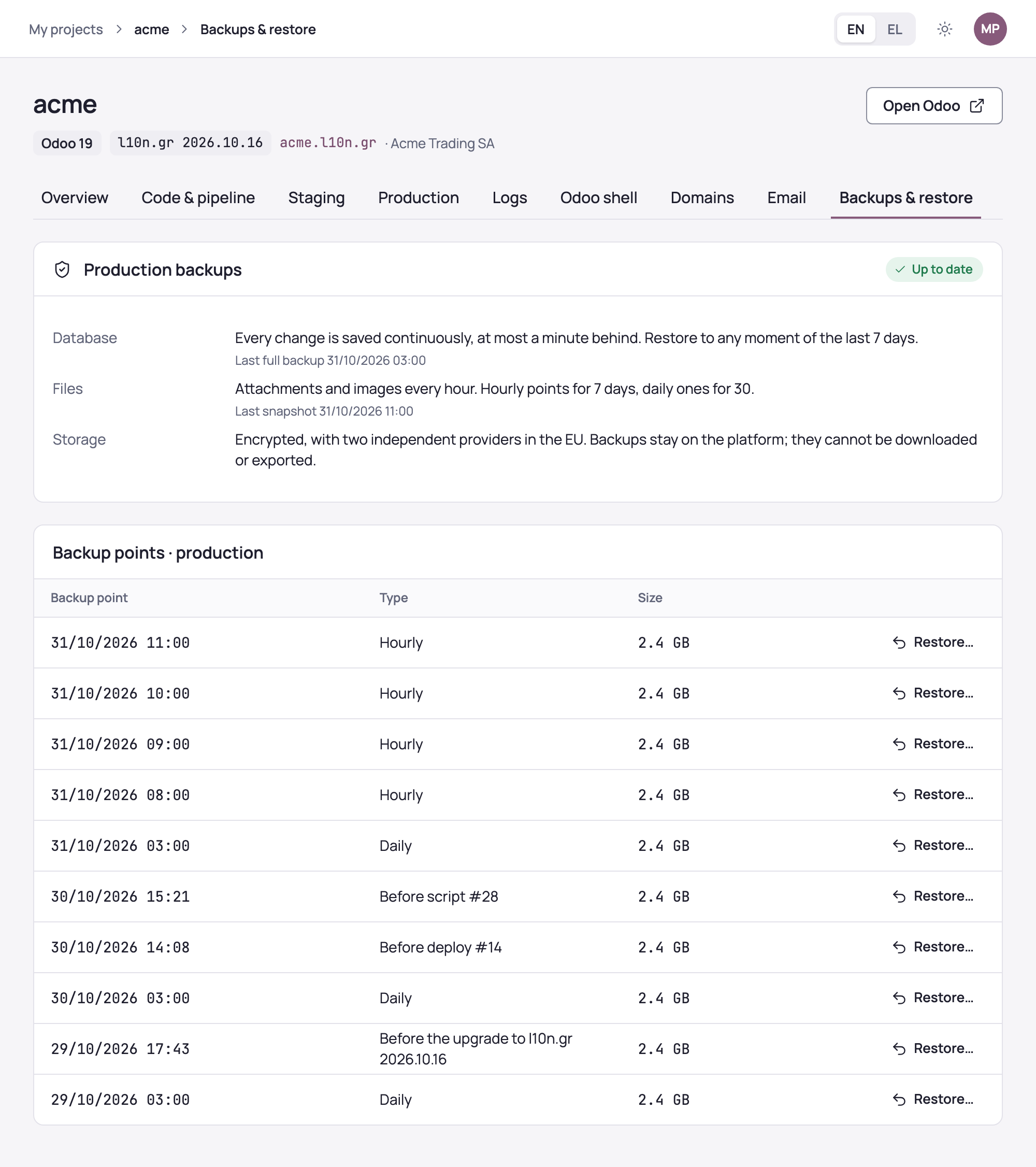
The “Backups & restore” section shows production's backups. The database is saved continuously, at most a minute behind, and can be restored to any moment of the last 7 days. Files, that is attachments and images, are saved every hour, with hourly points for 7 days and daily ones for 30.
Backups are encrypted, with two independent providers in the EU. Besides the regular points, the list shows those taken automatically before every deploy, every Odoo shell apply and every l10n.gr upgrade.
Restoring to staging
When data was damaged by a script, an import or a mistake, restoring to staging is the recommended way. Next to the point choose “Restore…”, pick “To staging” and confirm with “Restore to staging”.
Staging's database and files are replaced with that point's data, with transmissions, outgoing mail and scheduled actions disabled. There you read the old data and repair production with the Odoo shell or correcting entries. Production does not change and loses nothing.
Restoring production
When going back to an earlier moment cannot be avoided, pick “To production”. Anything entered after that point is lost, and Odoo is stopped while the restore runs.
Before you confirm, the console reads from production's database the documents transmitted to AADE after that point. They will be at AADE but missing from the books, and you see them before you decide. Numbering is corrected automatically: every series continues after the last number transmitted.
You confirm by typing the project's name and choosing “Restore production”. The report of those documents stays in the section and is emailed to you; pass it on to the business's accountant, who enters them again.
In some cases, such as an older l10n.gr release, the documents are not found automatically. The confirmation and the email then give instructions for finding them in myDATA and setting the numbering.