
Domains and email
The project runs from day one at <subdomain>.l10n.gr, with HTTPS and email. You add the customer's domain and sending domains whenever you need them.
Production domains
<subdomain>.l10n.gr is always available. To serve production on the customer's domain as well:
- In “Domains” choose “Add custom domain”, enter the domain, e.g. erp.example.gr, and choose “Add domain”.
- At the DNS provider, create the CNAME record shown, pointing to <subdomain>.l10n.gr.
- The check runs by itself every minute. Once the record is found, the certificate is issued automatically and the domain shows “Certificate issued”.
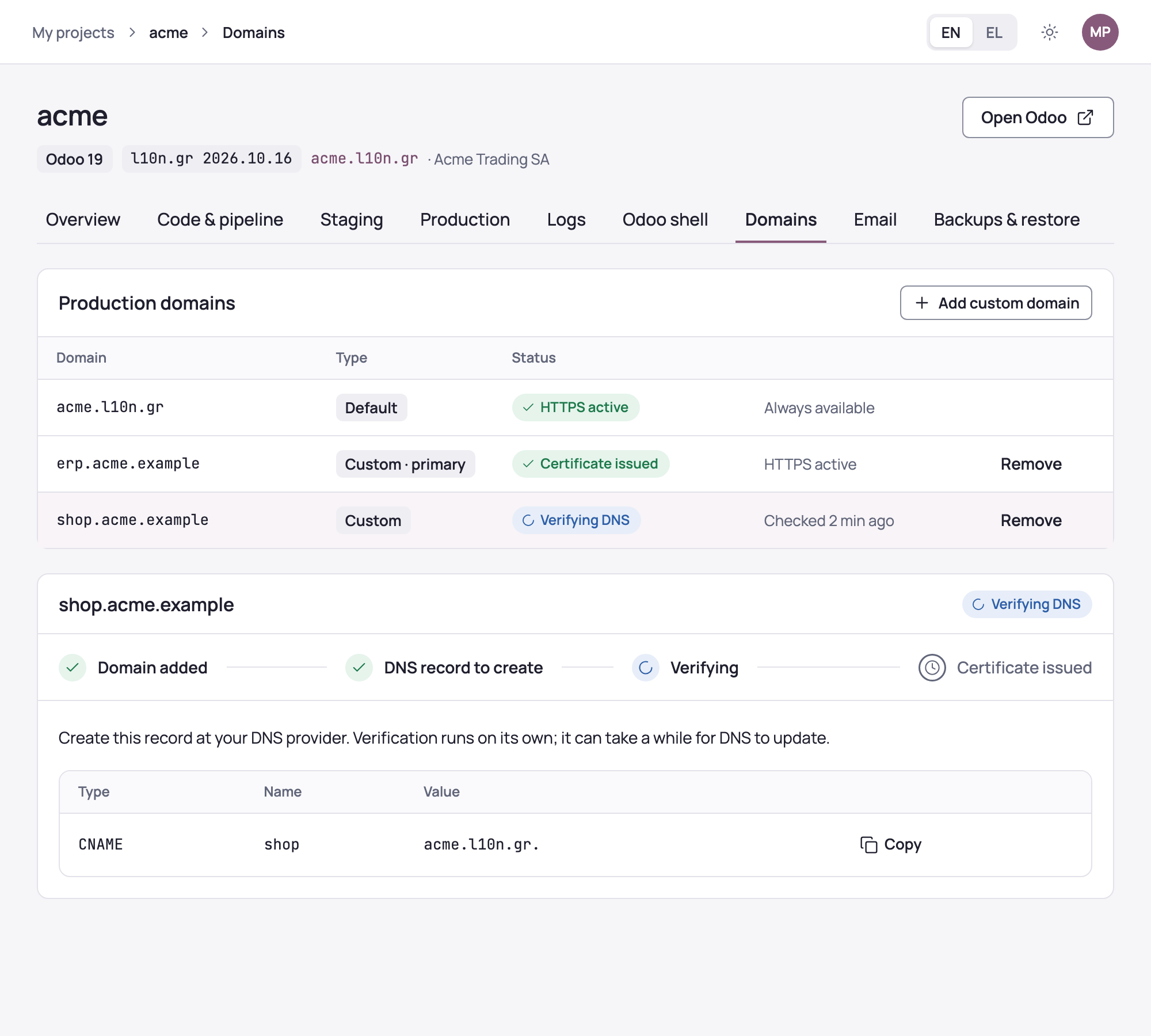
Your first active domain becomes the primary one: Odoo is served there, and <subdomain>.l10n.gr and any other domains redirect to it. A domain without a prefix needs ALIAS, ANAME or CNAME flattening from your DNS provider; otherwise prefer a subdomain, e.g. erp.
If the record is not found within 72 hours, the domain shows “No DNS record”: create it, remove the domain and add it again. “Remove” stops the domain serving Odoo, while the DNS record stays at your provider.
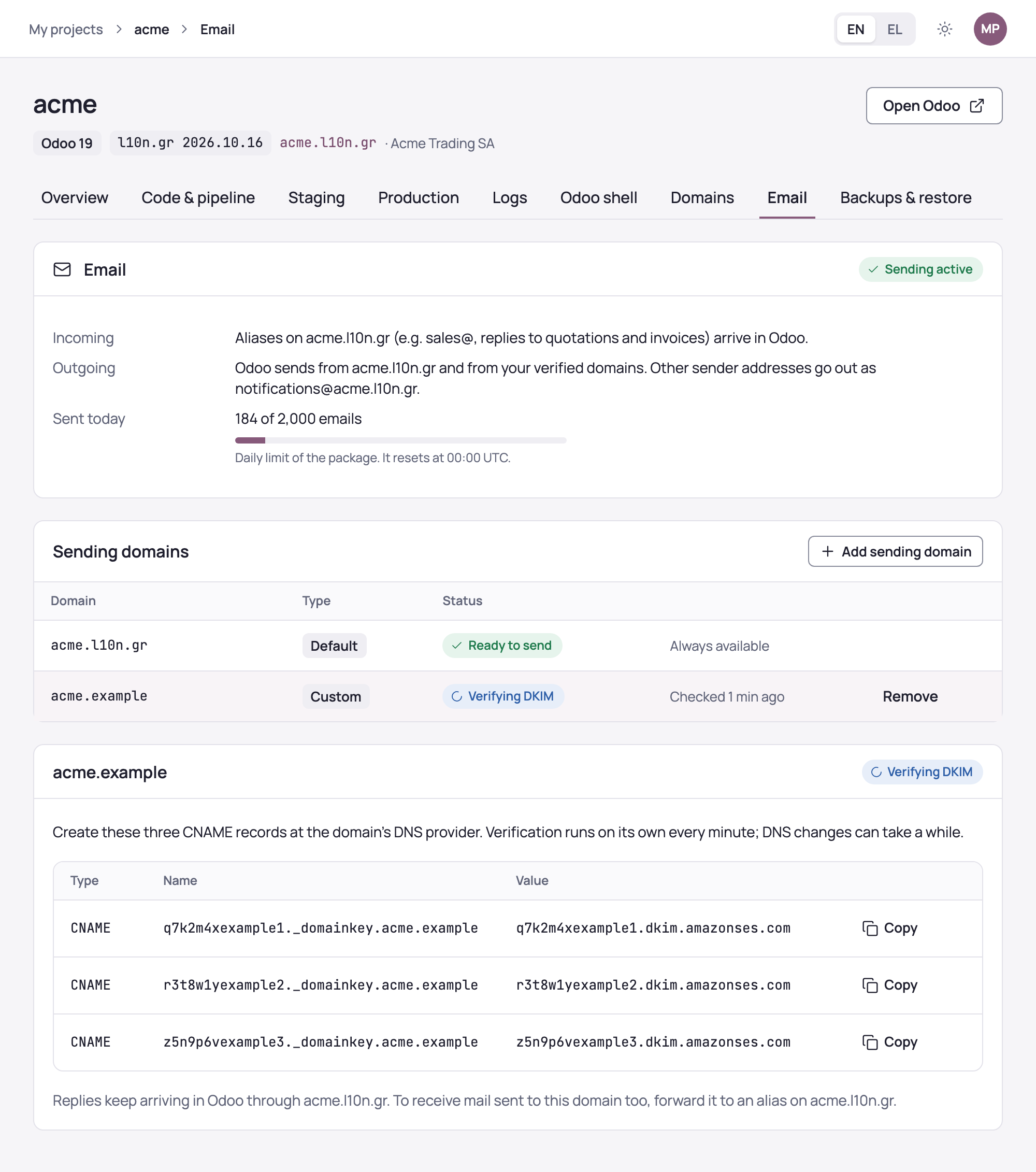
Production sends and receives email from day one, with nothing to configure in Odoo. The “Email” section shows:
- Incoming: aliases on <subdomain>.l10n.gr, e.g. sales@, and replies to quotations and invoices arrive in Odoo.
- Outgoing: Odoo sends from <subdomain>.l10n.gr and from your verified domains. Other sender addresses go out as notifications@<subdomain>.l10n.gr.
- How many emails were sent today, against the plan's daily limit, which resets at 00:00 UTC.
Staging does not send email.
The customer's sending domain
For users to send from their own address, e.g. maria@example.gr:
- Choose “Add sending domain” and enter the domain of the addresses, e.g. example.gr.
- At the DNS provider, create the three CNAME (DKIM) records shown.
- The check runs by itself every minute. Once the records are verified, the domain shows “Ready to send”.
Replies keep arriving in Odoo through <subdomain>.l10n.gr. To also receive mail sent to the domain itself, forward it to an alias on <subdomain>.l10n.gr.
If many of the project's emails bounce or are marked as spam, sending is paused and the section shows it. Incoming mail keeps arriving, and l10n.gr support resumes sending once the cause has been looked into.